
Charge on Sunshine: ChargeXcel Now Charges Your EV From the Solar You'd Otherwise Export
If you have solar panels and an EV, you've probably noticed something frustrating.
Around midday your panels make more power than the house can use. The extra goes back to the grid, often for a small credit. Then in the evening you plug the car in and buy that power back at the full rate.
ChargeXcel's new solar charging fixes that. When the sun is out, it turns your car's charge rate up and down so the car soaks up the surplus your panels are making, instead of sending it to the grid.
It's a free firmware update for ChargeXcel. You don't need a new meter or extra sensors, and the panel and charging station you already have stay as they are.
A real morning, not a render
Every screenshot here is from a real ChargeXcel at a real home, on the morning of October 10, 2026. We only blanked out the car's name and the Wi-Fi network.
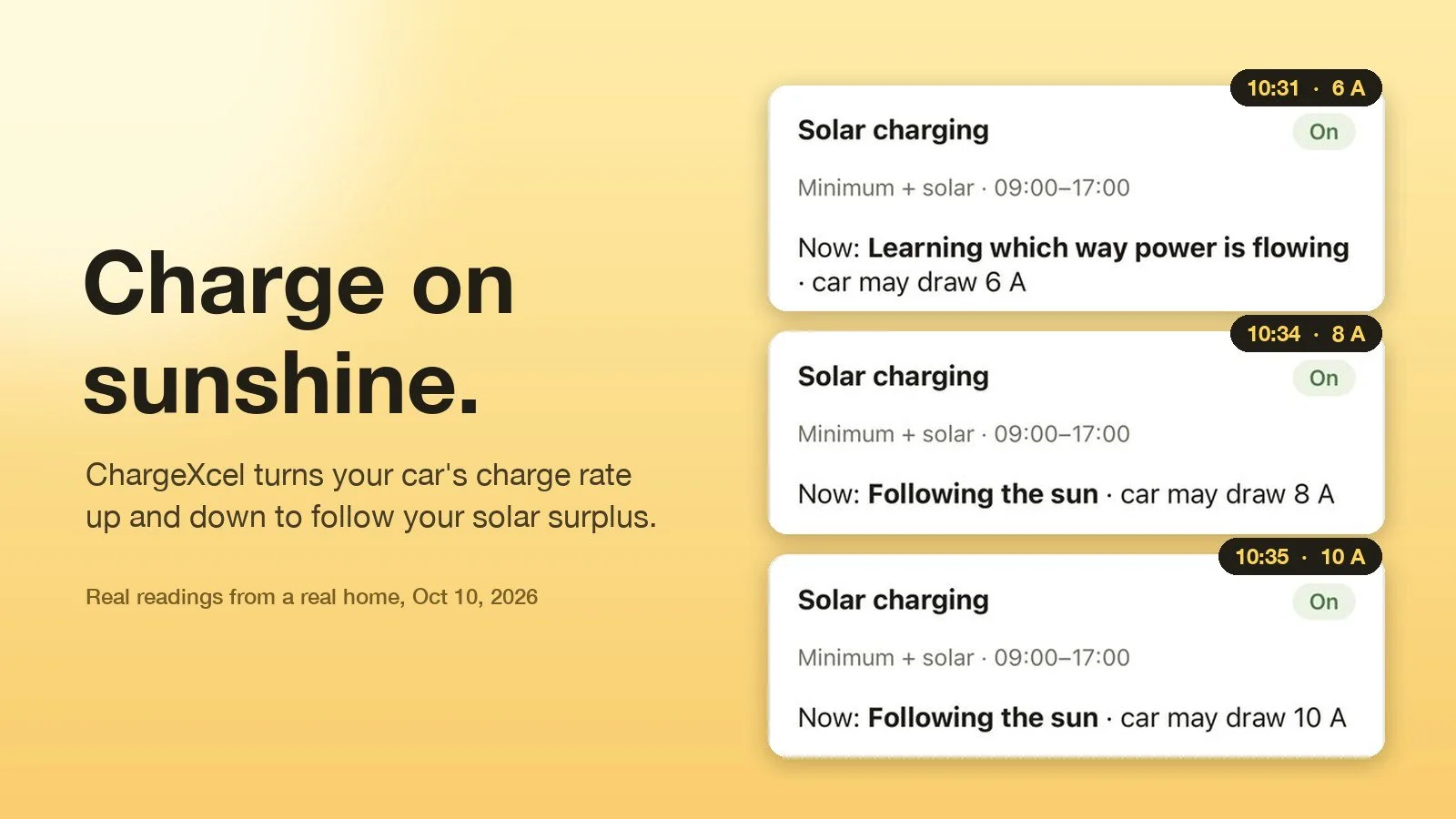
At 10:31 solar charging was on and the car was about to start. ChargeXcel didn't know yet which way power was flowing, so it held the car at a safe 6 A while it worked that out.
By 10:34 it had worked it out. Its status changed to "Following the sun", and it allowed 8 A. A minute later there was room for 10 A. That's about 2.4 kW going into the car that would otherwise have gone to the grid.
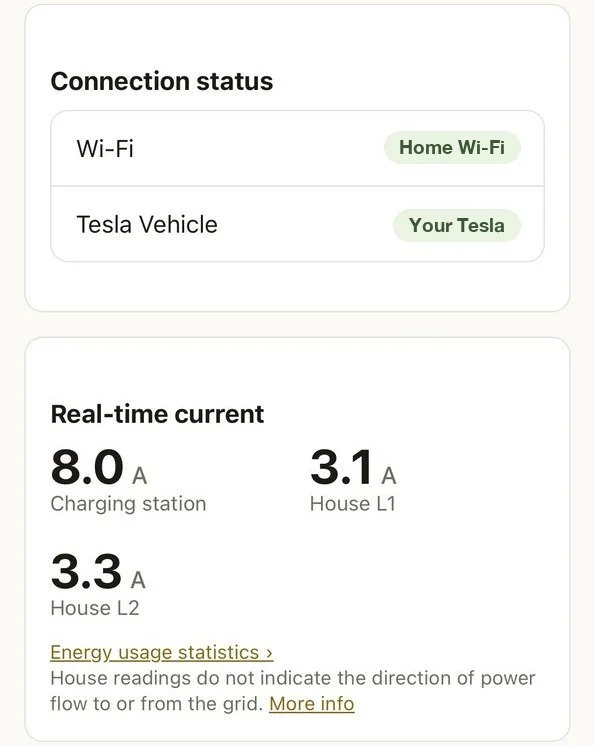
You can see each step happen in the unit's own event history. Each line is a command ChargeXcel sent to the car, and each one was accepted:
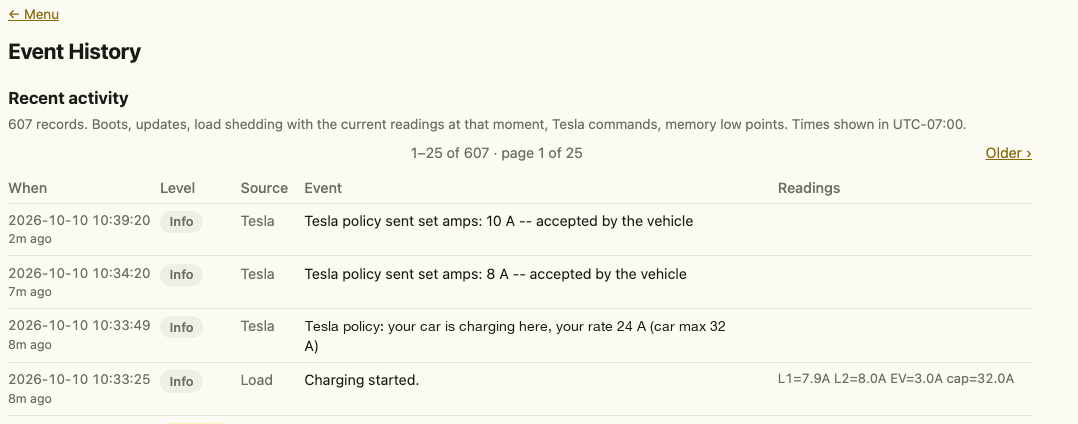
The 10 A appeared on screen at 10:35, but ChargeXcel didn't send it until 10:39. That's on purpose: it waits a few minutes to be sure the extra sun is going to last before it raises the rate. More on that below.
Two ways to charge from the sun
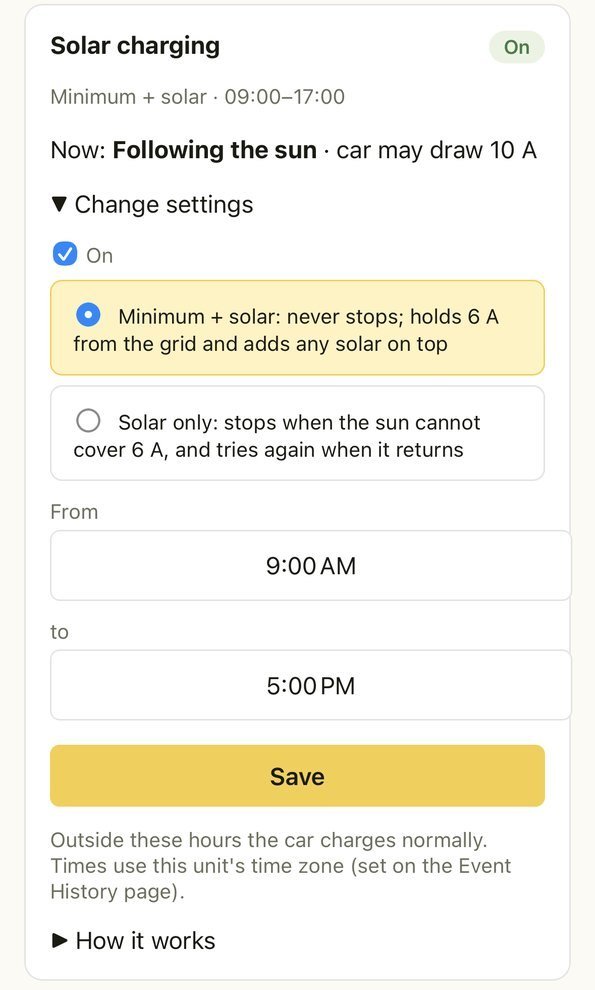
You choose how strict to be:
- Minimum + solar. Charging never stops. The car always gets 6 A from the grid, plus whatever solar is spare. This is the one to pick if the car must be ready in the morning.
- Solar only. The car charges only from surplus. When the sun can't cover the minimum, charging pauses, and it starts again by itself when the sun comes back.
You also set the hours it applies (we use 9 AM to 5 PM). Outside those hours the car charges normally, so plugging in after dinner works the way it always has.
Protecting your panel still comes first
ChargeXcel is a load management system, not a charger. Its main job hasn't changed: it watches your home's whole electrical service and makes sure the house and the car together never draw more than your service can safely carry. That's how it gets an EV charging without a costly panel upgrade in qualifying homes.
Solar charging sits on top of that. It can only ever lower the charge rate, never raise it above what's safe. If the oven, the dryer and the AC all come on at once, ChargeXcel's normal protection steps in immediately, sun or no sun.
That protection runs on the unit itself, with or without Wi-Fi. (Steering the car's charge rate does need internet, because that's how the car is told what to do.)
How it works, briefly
Here's the clever part. The two sensors on your main service lines measure how much current is flowing, but not which way. On their own they can't tell 10 A of export from 10 A of use.
So ChargeXcel works it out from the car. When the car's charge rate changes by a couple of amps, the house readings move with it. If the house is drawing from the grid, the readings go up. If it's exporting, they go down. That pattern shows ChargeXcel which way power is flowing, without a new meter and without a connection to your solar inverter. When it isn't sure, it makes a small, deliberate change to the charge rate to find out. That's the "Learning which way power is flowing" status in the screenshot above.
It then aims to keep your home just on the export side of zero, so the car is using your solar rather than grid power.
It's also patient, so the car isn't pestered every time a cloud goes by. It waits a few minutes before raising or lowering the rate, and it sends the car no more than six commands an hour. Safety cuts are never delayed.
What it works with
Tesla, built in. Connect your Tesla once on ChargeXcel's own web page. After that, the unit talks to Tesla directly from your home. Our servers keep no copy of your Tesla login, your car's VIN or your home location.
OCPP chargers. Many smart charging stations speak OCPP 1.6J. ChargeXcel can run a small, open-source OCPP script on the unit itself, and the station connects to ChargeXcel over your home network. The script follows the same solar figure. We have proven solar charging on a Tesla first; OCPP stations use the same figure through the script.
Home Assistant. ChargeXcel can be used with Home Assistant. A free, ready-made package (on our GitHub) gives you ChargeXcel's live readings as sensors: available headroom, current on each service leg, charging station power and energy (kWh, ready for the Energy dashboard), relay state and what ChargeXcel is currently doing. It all stays on your home network, with no cloud and no add-ons, using Home Assistant's built-in RESTful integration.
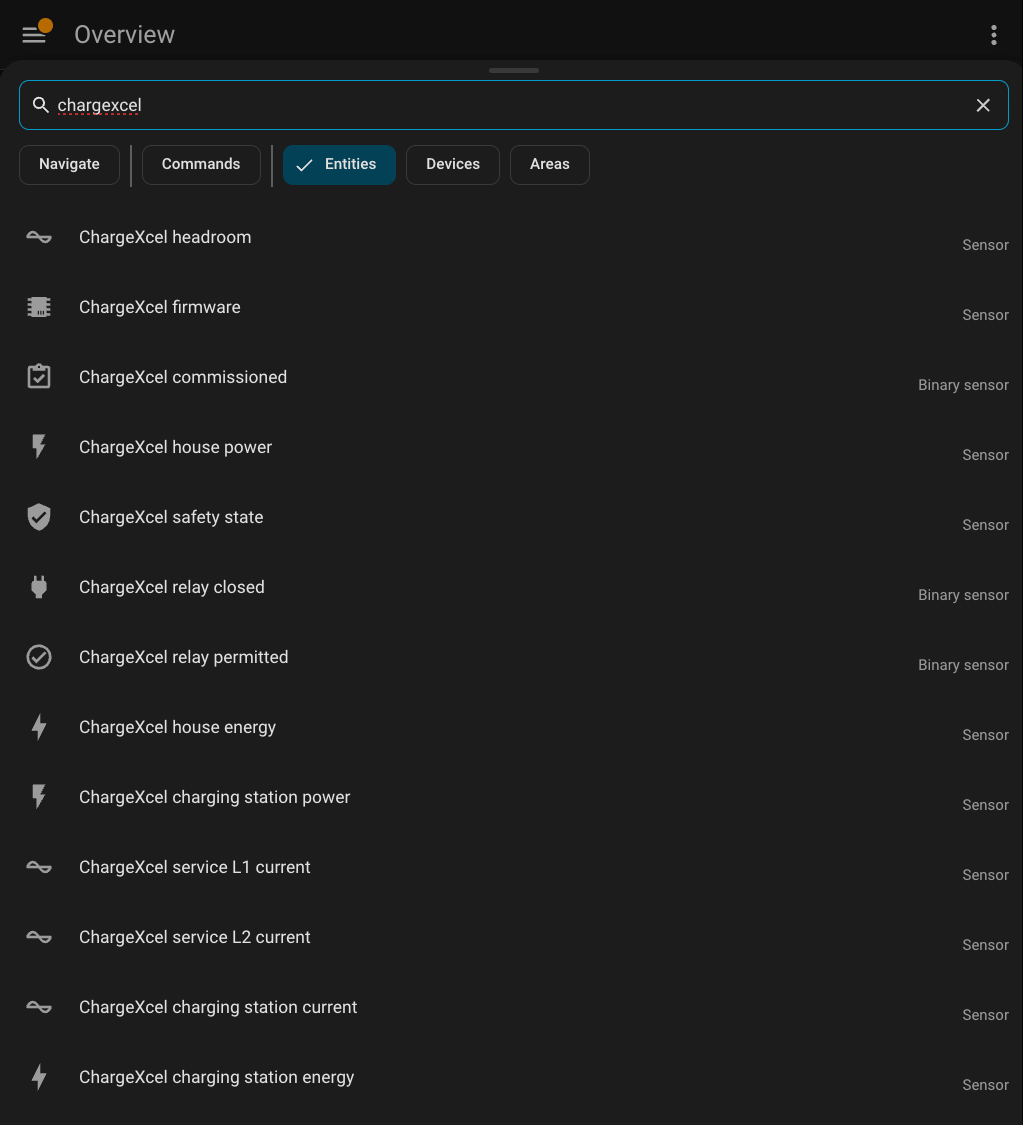
The package is read-only by design. Home Assistant can chart ChargeXcel and use it in automations, but it can't switch off ChargeXcel's protection. Your panel stays protected whether Home Assistant is running or not.
Is it right for your home?
Solar charging works best if you have grid-tied solar that exports your surplus during the day.
It won't help if:
- a home battery soaks up all your surplus before it reaches the grid, or
- your inverter is set to zero export.
In both cases there's no visible surplus for ChargeXcel to follow. Your electrician marks the home as having solar during setup, and the feature appears on the unit's charging-control page.
Quick answers
- Do I still need a panel upgrade?
- ChargeXcel exists so many homes don't. It manages the car around your existing service. Our homeowners page explains which homes qualify.
- Who installs it?
- A licensed electrician, next to your panel. It feeds the charging station you already have. (For electricians)
- Does it cost extra?
- No. Solar charging and the Home Assistant package come with ChargeXcel's firmware at no extra cost.
- Where are the specs?
- Here.
Charge on sunshine
Your panels are already making the power. ChargeXcel makes sure your car gets it.
Buy ChargeXcel →Max out your charge. Not your panel.