
Skip the service upgrade. See every amp in Home Assistant.
ChargeXcel lets your electrician add a Level 2 charger to the electrical service you already have, instead of a service upgrade that typically costs $5,000–$25,000. And everything it measures flows into Home Assistant: live, local, and free.
- Local API, no cloud
- Built-in RESTful integration
- Nothing from HACS
- CSA certified to UL 916
No room for another big circuit? That's where it starts.
Before an electrician adds an EV charger, they run a load calculation. In many homes, especially older ones with a 75 or 100 A service, the answer is "no room", and that means a service upgrade: a bigger panel, new wires from the utility, permits and a long wait. ChargeXcel keeps the charger from ever pushing your service past its limit, so your electrician can count on it in the load calculation, and the answer becomes yes.
What a service upgrade typically costs, before landscaping repairs.
How long the utility can take to schedule the work.
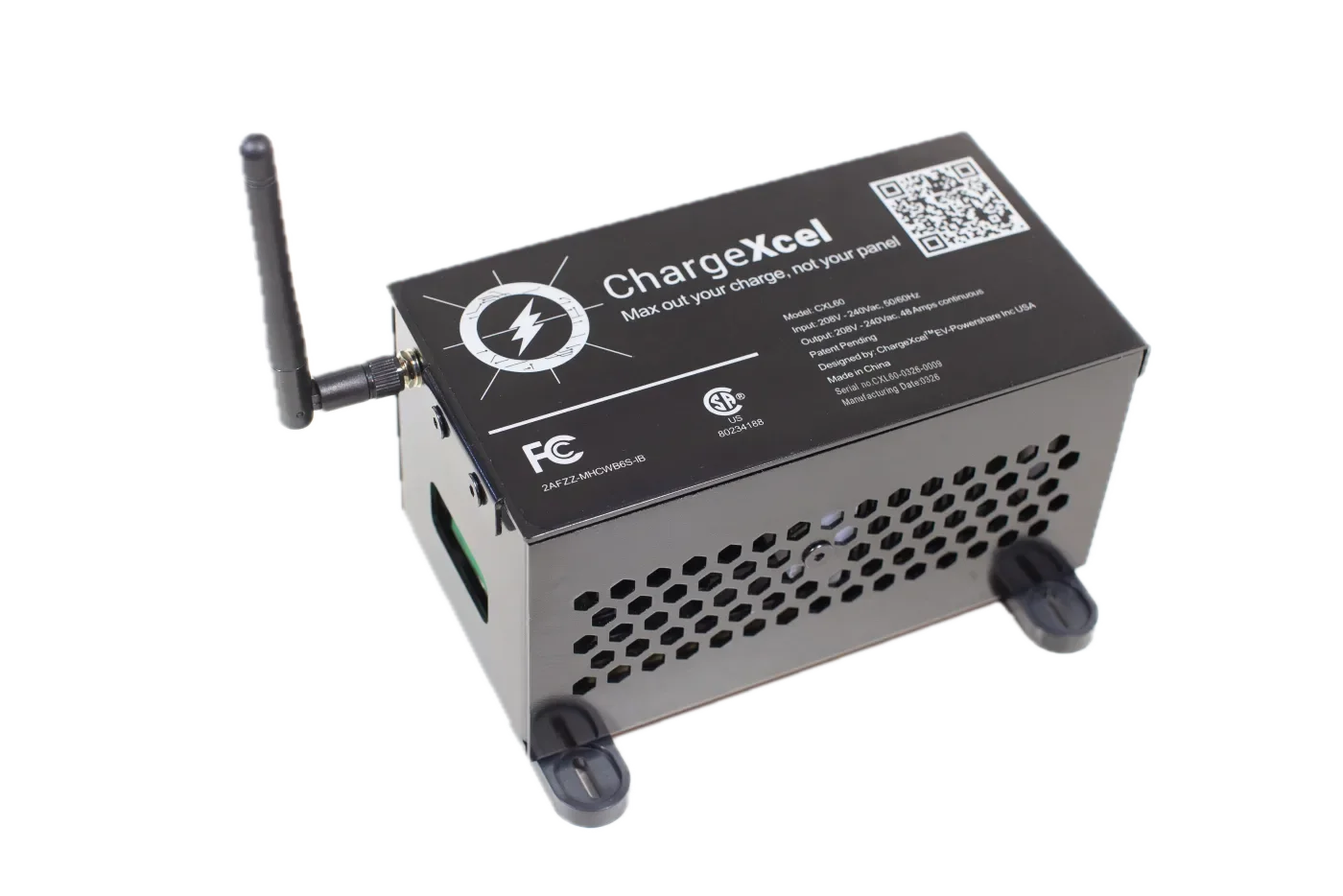
ChargeXcel 60, installed next to your panel by your electrician.
Whether you can avoid a service upgrade depends on your load calculation and your local inspector. Code details
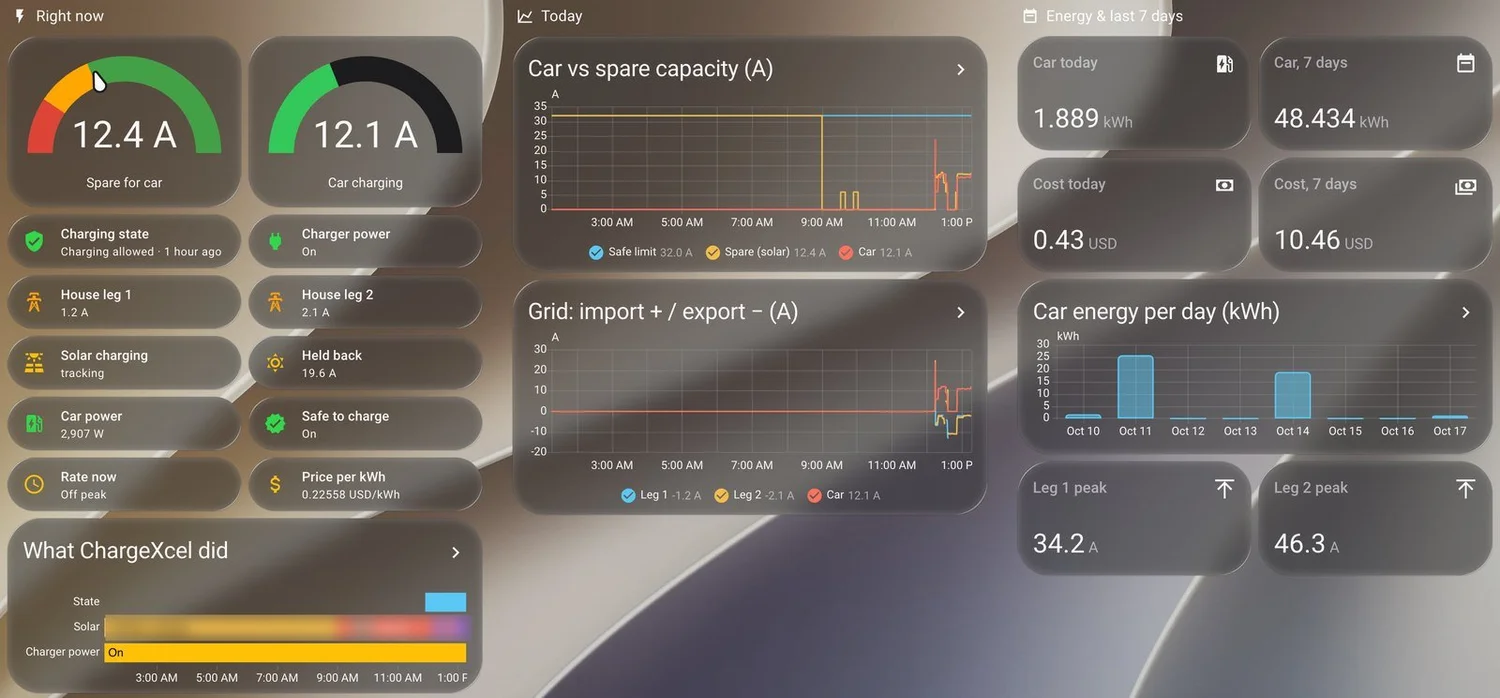
Everything it sees, in Home Assistant.
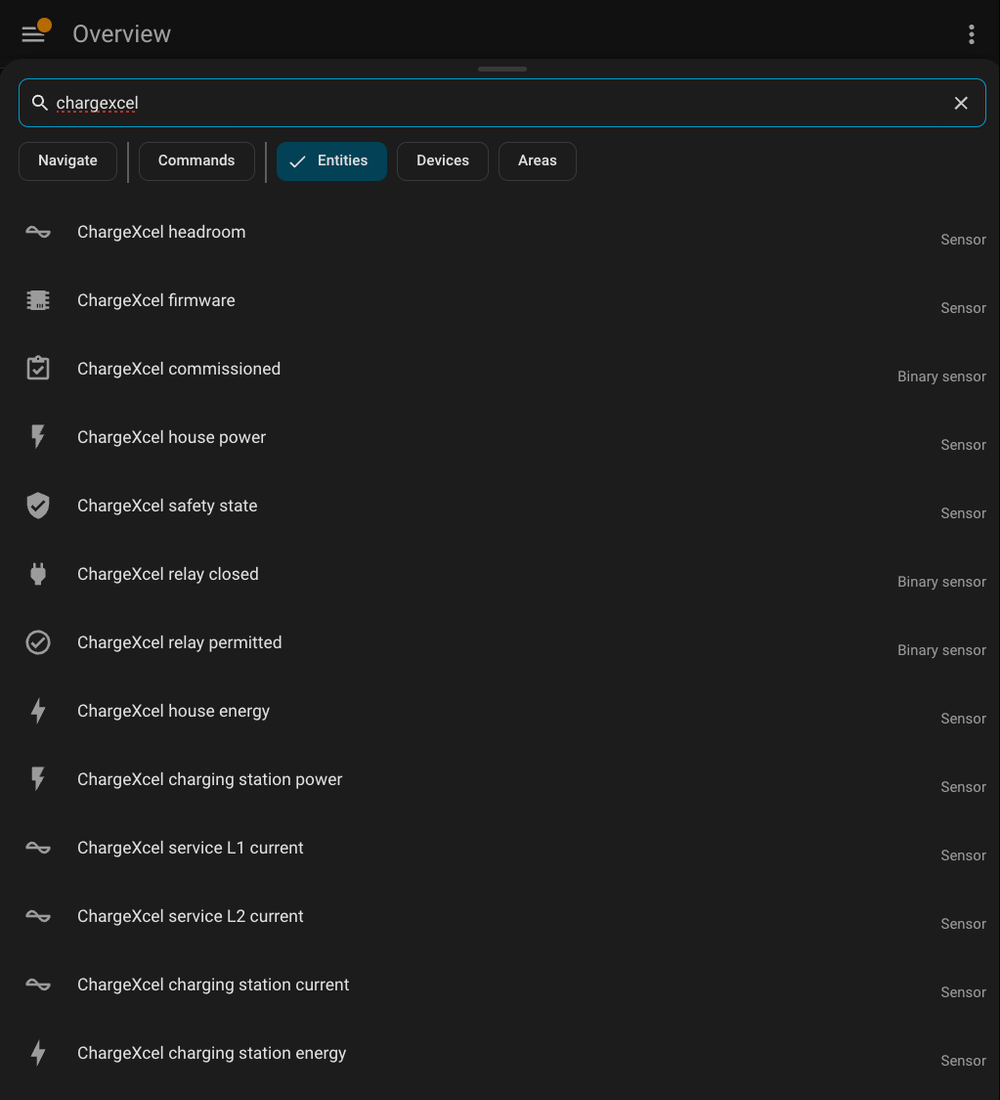
One YAML package turns ChargeXcel into fifteen Home Assistant entities, read straight from the unit over your home network every 10 seconds.
Live, right now
Each leg of your electrical service, the car, the spare capacity the car is allowed, and what ChargeXcel is doing, in plain words.
The car as its own device
Add it to Home Assistant's Energy dashboard and see the car's charging hour by hour and day by day, apart from the rest of the house.
What every charge costs
The optional cost add-on prices the car's power at your time-of-use rates: the rate right now, cost today, this week, and per day.
Alerts on your phone
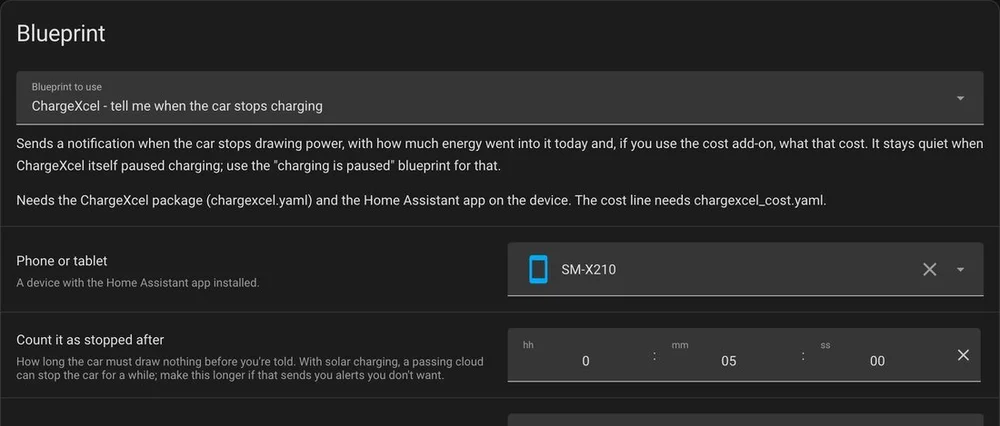
Two one-click blueprints: one tells you if ChargeXcel pauses charging to protect your panel, the other when the car stops, with kWh and cost.
Know your real peak
The highest each leg reached this week. Planning a heat pump, a hot tub or a second EV? See how much room you really have first.
Solar charging graphs
Charging on surplus sunshine? An optional add-on draws each leg below zero while you export, and shows what solar charging is doing.
Straight from our own Home Assistant.
No mock-ups: these are screenshots from the Home Assistant that watches our own ChargeXcel.
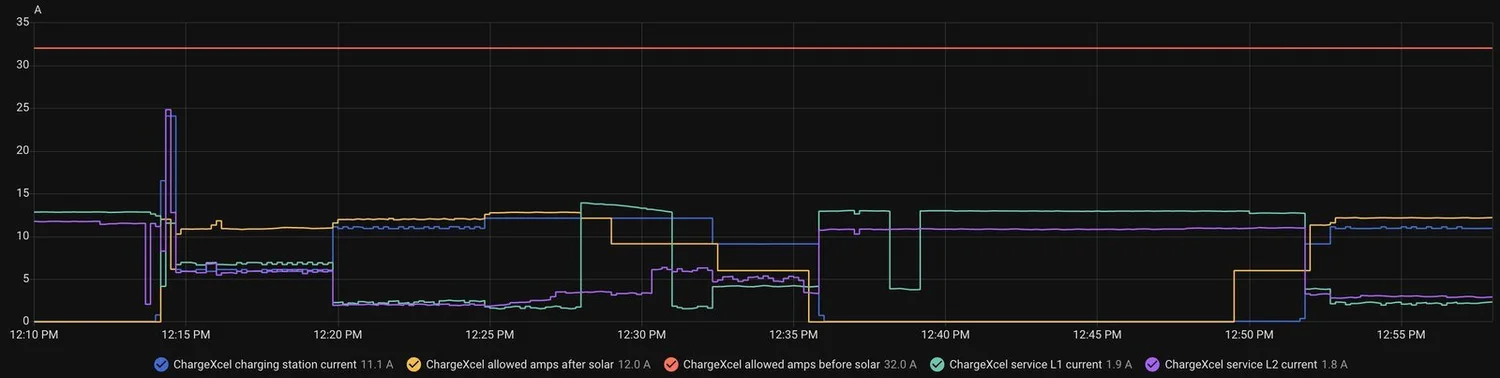
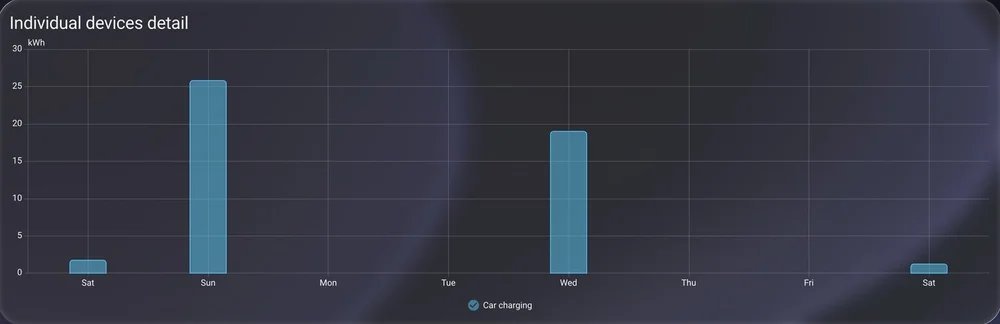
The dashboard at the top of this page uses a glass theme we added for looks. The ready-made dashboard on GitHub uses only Home Assistant's built-in cards.
Home Assistant watches. It can't override.
ChargeXcel's protection runs on the unit, from its own sensors. Home Assistant can chart it, alert on it and react to it, but nothing it does can switch that protection off or raise a limit.
- An API key that can only read. Generated on the unit's own web page; anyone with it can see readings, never change anything.
- Your data stays home. Home Assistant reads the unit over your own network. No cloud, no account, no subscription.
- Protected with or without it. If Home Assistant, your Wi-Fi or the internet goes down, ChargeXcel keeps protecting your service exactly the same.
Five steps, all free on GitHub.
Everything you need is in our public repository, with a ready-made dashboard and the alert blueprints.
- 1
Copy the API key
On ChargeXcel's web page, sign in and open Menu → API key.
- 2
Add two lines to secrets.yaml
chargexcel_diagnostics_url: http://chargexcel-XXXX.local/api/diagnostics chargexcel_api_key: "paste-the-key-here" - 3
Drop in the package and restart
Copy chargexcel.yaml into your packages folder. Optional add-ons for cost and solar sit next to it.
- 4
Check it's all there
Press e anywhere in Home Assistant and search chargexcel.
- 5
Add the dashboard and alerts
Paste the ready-made dashboard into the raw configuration editor, and import the alert blueprints with one click.
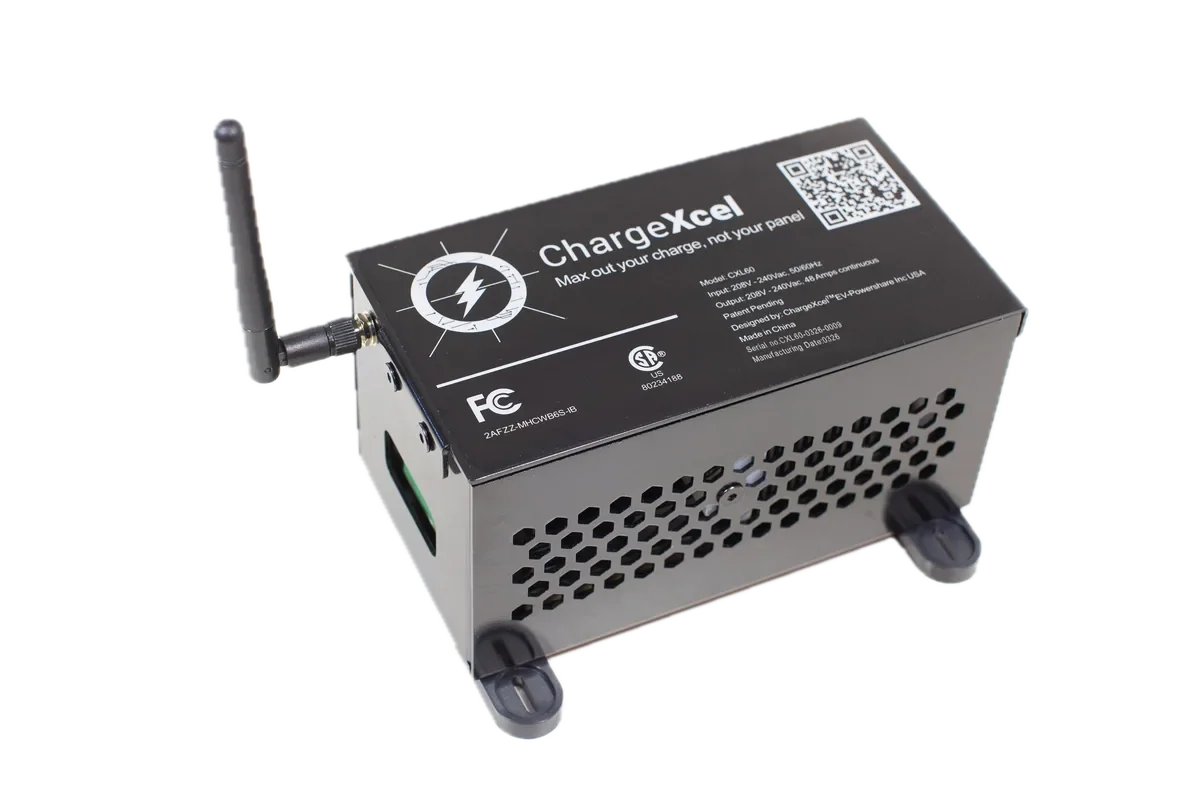
ChargeXcel 60
$680USD, plus tax and shipping
In the box
- ChargeXcel 60 unit (48 A continuous, 60 A max, 208–240 V)
- External Wi-Fi antenna
- Pair of split-core current sensors with 3 m cables
- The Home Assistant package, free on GitHub
You’ll also need
- A licensed electrician to install it
- A polycarbonate NEMA 4 junction box, about 14″ × 10″ × 6″ (not included)
- Your Level 2 charging station, up to 60 A
What Home Assistant users ask us
Do I need HACS or a custom integration?
No. ChargeXcel uses Home Assistant's built-in RESTful integration through a single YAML package, and the ready-made dashboard uses only built-in cards. ChargeXcel's readings show up as entities, not as a device.
Does it need the cloud or an account?
No. Home Assistant reads the unit directly over your home network, about every 10 seconds, with an API key you generate on the unit itself. Nothing goes through our servers.
Can Home Assistant turn ChargeXcel's protection off?
No. The connection is read-only by design. Home Assistant can chart ChargeXcel and react to it, for example by switching off one of your own smart plugs, but it can't open or close ChargeXcel's relay or change its limits. Protection runs on the unit whether Home Assistant is running or not.
Does it work with my car and charger?
Yes. ChargeXcel protects any Level 2 charging station up to 60 A, with every electric car. Tesla is built in for smart charging; other cars and chargers can be slowed or paused through a script or OCPP, depending on what they support.
Is ChargeXcel a "Works with Home Assistant" certified product?
No. It works with Home Assistant through Home Assistant's own built-in integration, and our package is free and open on GitHub, but it isn't certified by, made by or endorsed by the Home Assistant project.
Will my home pass inspection?
ChargeXcel is certified by CSA Group to UL 916, and the National Electrical Code (NEC 220.70 and 625.42(A)) lets your electrician count it in the load calculation. Your electrician designs the installation and your local inspector gives final approval. Code details.
Skip the upgrade. Keep every amp.
Answer a few questions about your home and see whether you need a service upgrade, and how much ChargeXcel could save you.
Are you an electrician? See our partner program
ChargeXcel is not affiliated with or endorsed by Home Assistant or the Open Home Foundation. Home Assistant is used here only to describe compatibility.